
Online Safety
At Colindale School we promote online safety at all times. Children are taught how the internet works and how to stay safe when they are in school. It is important that you as a parent are aware of the dangers of children being online and using the internet.
We recommend using parental control features on any Wi-Fi-enabled equipment your child uses.

- Talk to your child about the sites they access; build an understanding of honesty and trust
- Ensure that you can see or hear what your child is doing online at all times
- NEVER allow your child to go to bed with Wi-Fi equipment on their own
Each month we send out an online safety newsletter that has useful information and recent updates on how to keep your child safe online.
Here are some useful sites that work with parents to help keep our children safe.




Online Safety Videos
Setting up Parental Controls on an iOS device with Family Sharing
Setting up Parental Controls on your child’s iOS device (when you don’t have an iOS device)
Setting up Snapchat Family Centre
Setting up Snapchat Privacy settings (on your child’s account)
Roblox Parental Controls and Privacy settings
Nintendo Switch Parental Controls app
YouTube Kids App
Kids Online World
A great site, giving lots of information about apps and games that our children have access to.
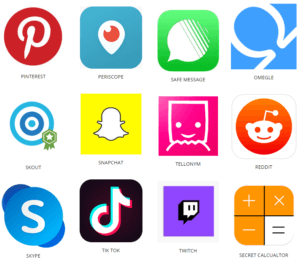
Check through the different games and apps your children use. Many popular apps and games give your children access to scenes you would rather they do not see and access to people you do not know. Talk with your children about how they use their apps and games. Watch your children online and discuss the decisions they make.


Thinkuknow Parents homepage
Thinkuknow is the education programme from NCA-CEOP, a UK organisation which protects children both online and offline. Explore one of the six Thinkuknow websites for advice about staying safe when you’re on a phone, tablet or computer.

CEOP – Child Exploitation and Online Protection command
Look out for the CEOP reporting button on the websites that you use.

Know It All & Childnet for Parents and Carers
Know IT All for Parents is a unique interactive e-safety guide for parents and carers produced by Childnet International. It’s designed to really help you as a parent or carer keep up to date with how children are using the internet, and support them in using these new exciting services safely and responsibly.


NSPCC Internet Safety
Your guide to apps, games and social media sites. This site covers all sorts of potential dangers you can overcome when using the internet whether it be for pleasure or work. Updates on new, secure methods to stay safe on popular social networking sites.

Connect Safely
Lots of useful parental guides on identity theft and children’s computer games.

Parent Zone
The experts in digital family life. This site provides excellent guides on how to stay safe when using popular games and social networking sites.

Internet Matters
From age-specific online safety checklists to guides on how to set parental controls on a range of devices, you’ll find a host of practical tips to help children get the most out of their digital world.

Digital Citizenship
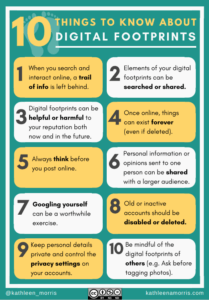
This website gives some clear advice for parents to help them understand how the internet deals with data and how to keep their children safe.
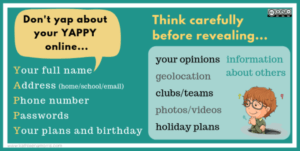
Microsoft Family Safety | Online Safety & Digital Wellbeing

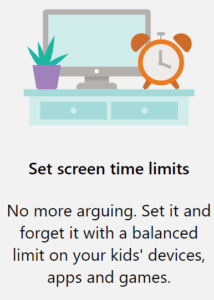
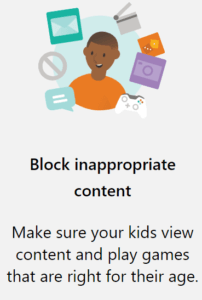
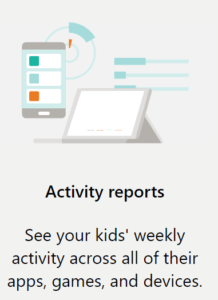
National Online Safety | E-safety Guides for Schools
Online safety refers to the act of staying safe online. It is also commonly known as internet safety, e-safety and cyber safety. It encompasses all technological devices which have access to the internet from PCs and laptops to smartphones and tablets. Being safe online means individuals are protecting themselves and others from online harms and risks which may jeopardise their personal information, lead to unsafe communications or even effect their mental health and wellbeing.

National Online Safety | E-safety Guides for Parents
Children may not understand the negative impact of device or game addiction. Talk to them openly about healthy habits to find out if spending time online or playing a game is affecting their sleep, performance at school or if they are generally losing interest in other activities. Encourage your children to take part in alternative activities such as drawing, painting, cooking or building a model and discuss the introduction of time limits when using the computer and other online technologies when at home.